How to Turn Off Preheat on Yocan Kodo Pro
Posted: Wed Nov 18, 2026 2:36 am
The Preheat function on the Yocan Kodo Pro is a great feature for warming up thick oils before your first draw. However, there are times when you might trigger it by accident or simply want a cooler hit.
If you are wondering how to stop the preheat cycle manually, the process is incredibly simple.
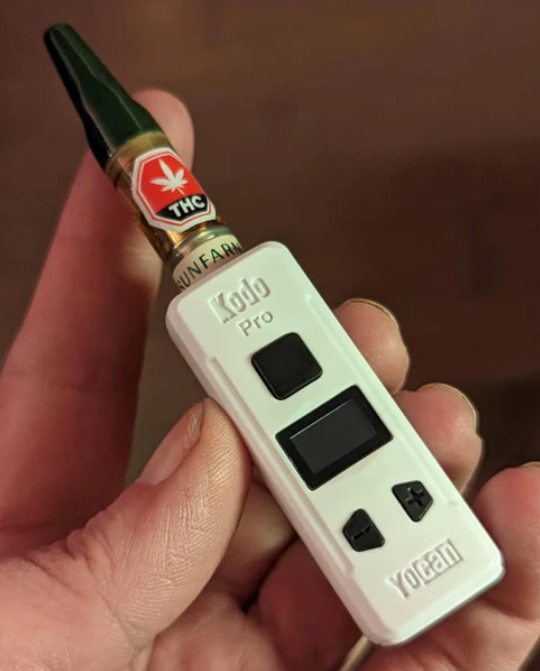
How to stop it:
While the device is preheating (the screen will show "Preheating" with a 1.8V output), simply press the power button another 2 times quickly. The cycle will cancel immediately, and the device will return to your previous voltage setting.
Pro tip: Make sure you press the button twice in quick succession, similar to how you would double-click a mouse.
If you are wondering how to stop the preheat cycle manually, the process is incredibly simple.
How to stop it:
While the device is preheating (the screen will show "Preheating" with a 1.8V output), simply press the power button another 2 times quickly. The cycle will cancel immediately, and the device will return to your previous voltage setting.
Pro tip: Make sure you press the button twice in quick succession, similar to how you would double-click a mouse.