

What’s the Difference Between the Three Smoking Modes on the Yocan Ziva 2.0?
Moderator: Rhea
-
Rhea

- Posts: 734
- Joined: Sun Mar 06, 2022 9:41 pm

What’s the Difference Between the Three Smoking Modes on the Yocan Ziva 2.0?
Many users notice that the Yocan Ziva 2.0 offers three different vaping modes when using the device for the first time. However, not everyone is sure which mode works best for different situations or oil types. Here’s a quick breakdown to help you choose the mode that fits your vaping style best.
1. Manual Mode
Press and hold the power button to heat, then release to stop.
This mode is better suited for thicker oils and supports manual preheating, helping the oil vaporize more efficiently. It’s also ideal for users who prefer bigger clouds and more control over their draw timing.
Best for:
Press and hold the “+” and “–” buttons simultaneously for one second to activate.
Once enabled, the device delivers continuous and stable output, allowing for a more hands-free experience. This mode works especially well with medium to thick oils and offers a good balance between convenience and consistency.
Best for:
Simply inhale to activate the device — no buttons required.
The biggest advantage of this mode is convenience. Just pick it up and vape. It’s especially beginner-friendly and works well with thinner oils for a smooth and natural experience.
Best for: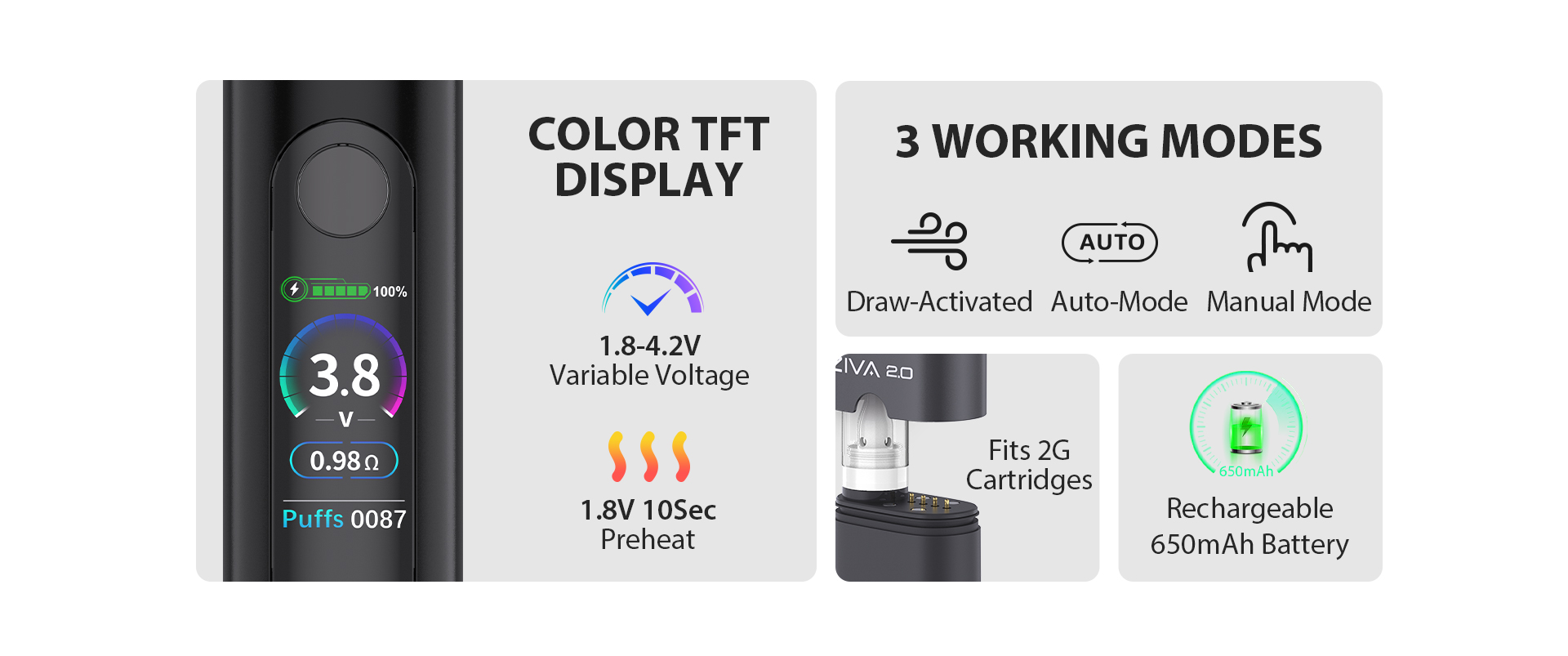
Conclusion
The three modes on the Yocan Ziva 2.0 are designed for different vaping preferences:
See more products at Yocan.
1. Manual Mode
Press and hold the power button to heat, then release to stop.
This mode is better suited for thicker oils and supports manual preheating, helping the oil vaporize more efficiently. It’s also ideal for users who prefer bigger clouds and more control over their draw timing.
Best for:
- Thick oils
- Users who enjoy larger vapor production
- Users who want full control over heating time
Press and hold the “+” and “–” buttons simultaneously for one second to activate.
Once enabled, the device delivers continuous and stable output, allowing for a more hands-free experience. This mode works especially well with medium to thick oils and offers a good balance between convenience and consistency.
Best for:
- Medium to thick oils
- Users who prefer stable performance
- Users who want fewer button operations
Simply inhale to activate the device — no buttons required.
The biggest advantage of this mode is convenience. Just pick it up and vape. It’s especially beginner-friendly and works well with thinner oils for a smooth and natural experience.
Best for:
- Everyday casual use
- Beginners
- Thin oils
Conclusion
The three modes on the Yocan Ziva 2.0 are designed for different vaping preferences:
- Choose Manual Mode if you want maximum control and bigger clouds.
- Choose Auto Mode if you want a balance of stability and convenience.
- Choose Draw-Activated Mode if you prefer the easiest and most effortless experience.
See more products at Yocan.